
Project overview
Project Length: 5-day sprint
Goal: To analyse an existing application and incorporate a new function into an existing product. This function is based on an area of functionality to be explored and compared with user input.
Analysis of functions in web and mobile application
Assumptions
👉🏻 4 Cafes
👉🏻 Managers can only see the schedule in their cafe
👉🏻 Only the administrator has access to all graphics
👉🏻 Schedules are in compliance with the labor code
👉🏻 Employees can travel to locations up to 3km away (own assumption)
👉🏻 Employees are required to indicate availability in the mobile app or provide information to their immediate supervisor
Solution
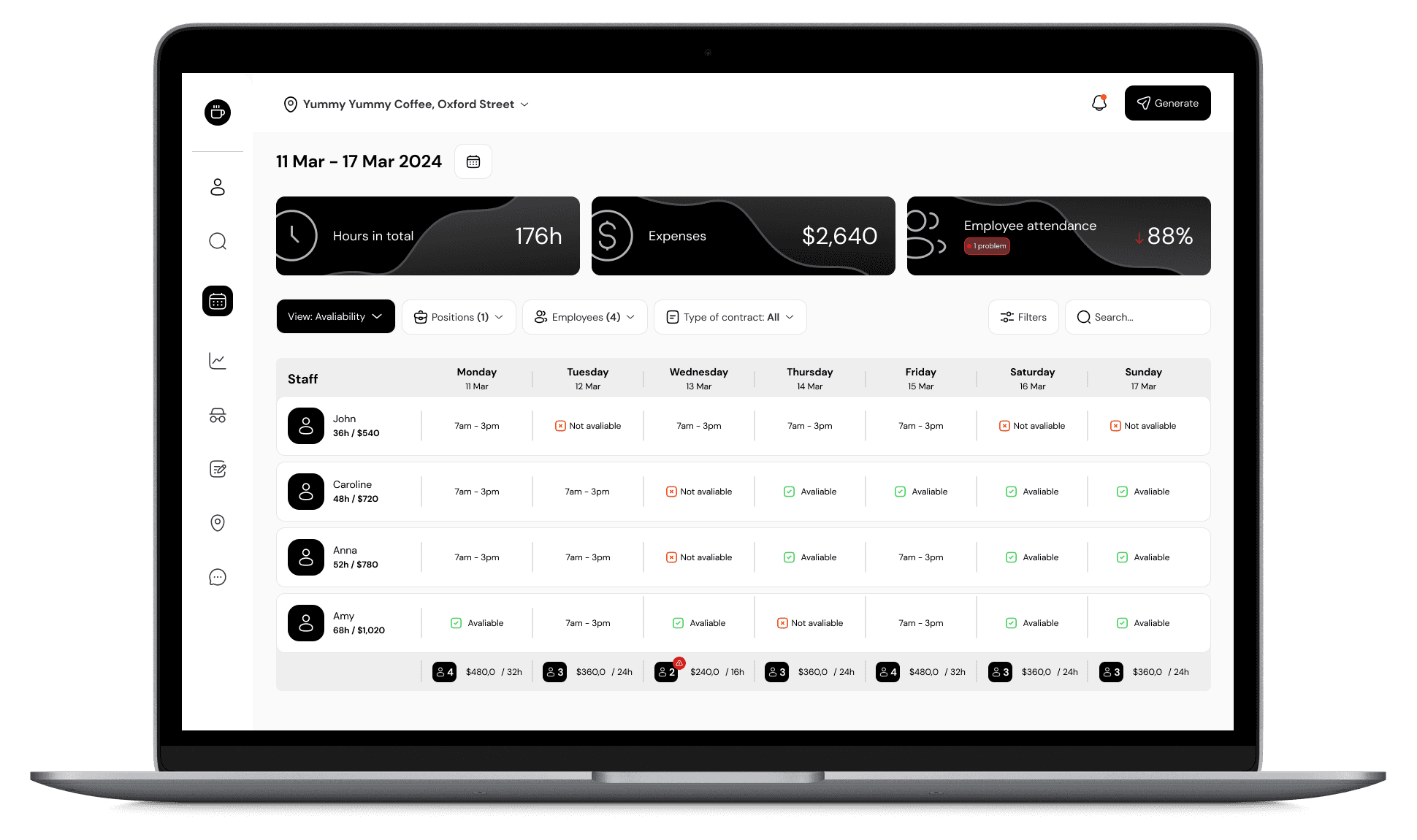
Taking into account the existing solutions inside the application, I decided to create a new feature (on probably the most used screen when handling the schedule) using a notification system and a space in the place summarizing the number of employees of a given day, their earnings and the number of hours.
01
The user sees various types of notifications
02
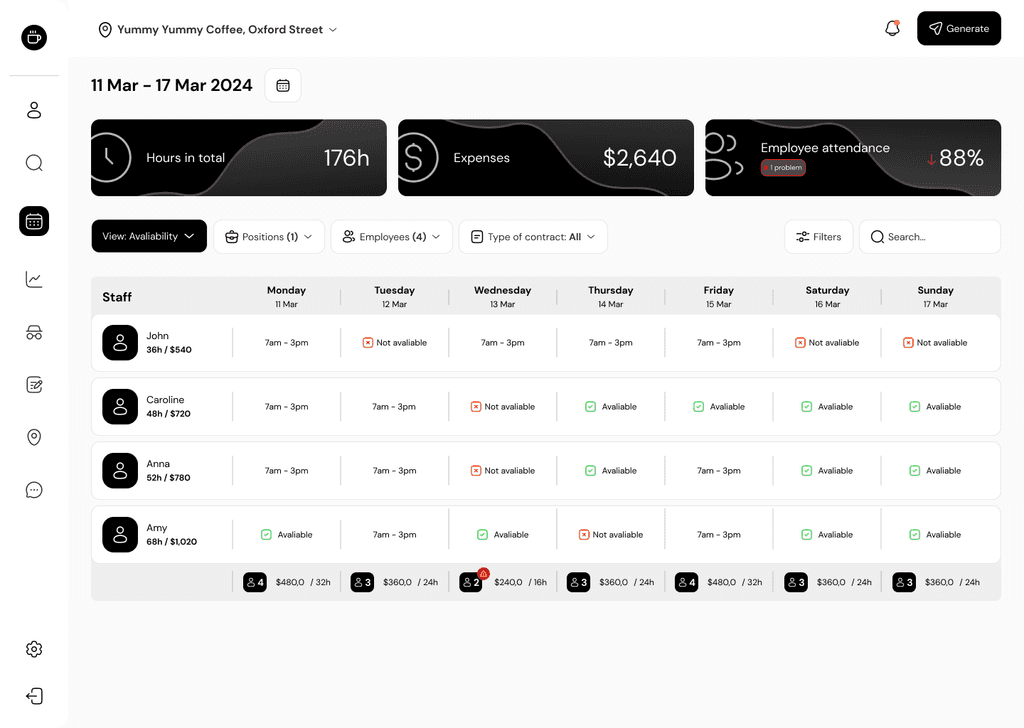
Has the ability to select a table view tailored to the task at hand.
03
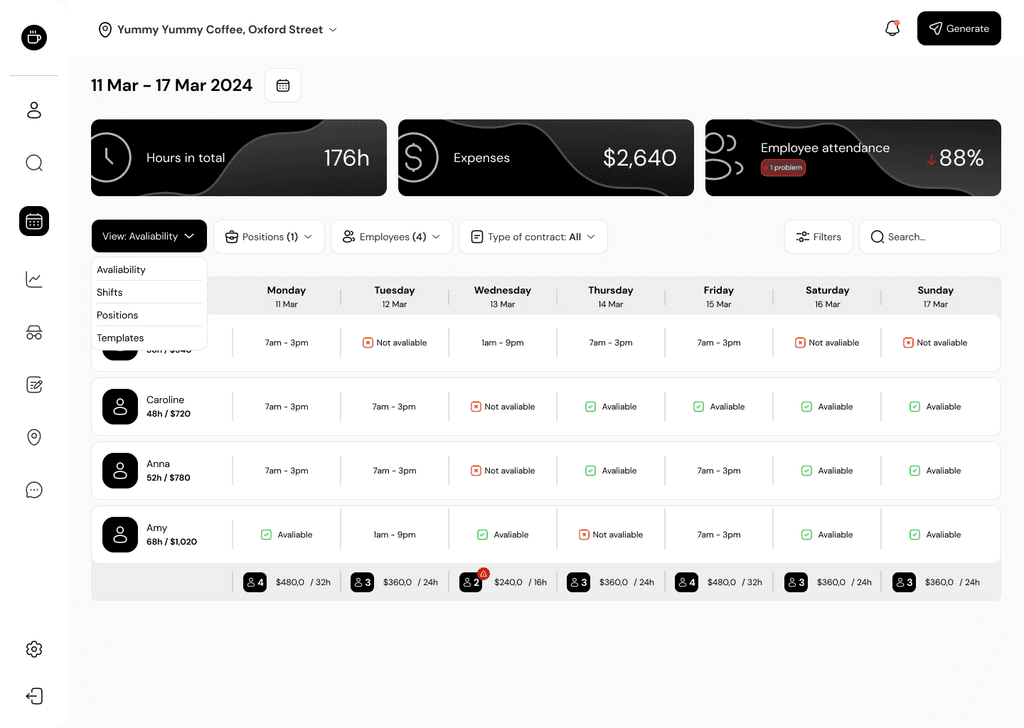
Employee Availability View.
Based on it you can see when a particular employee will be at work.
04
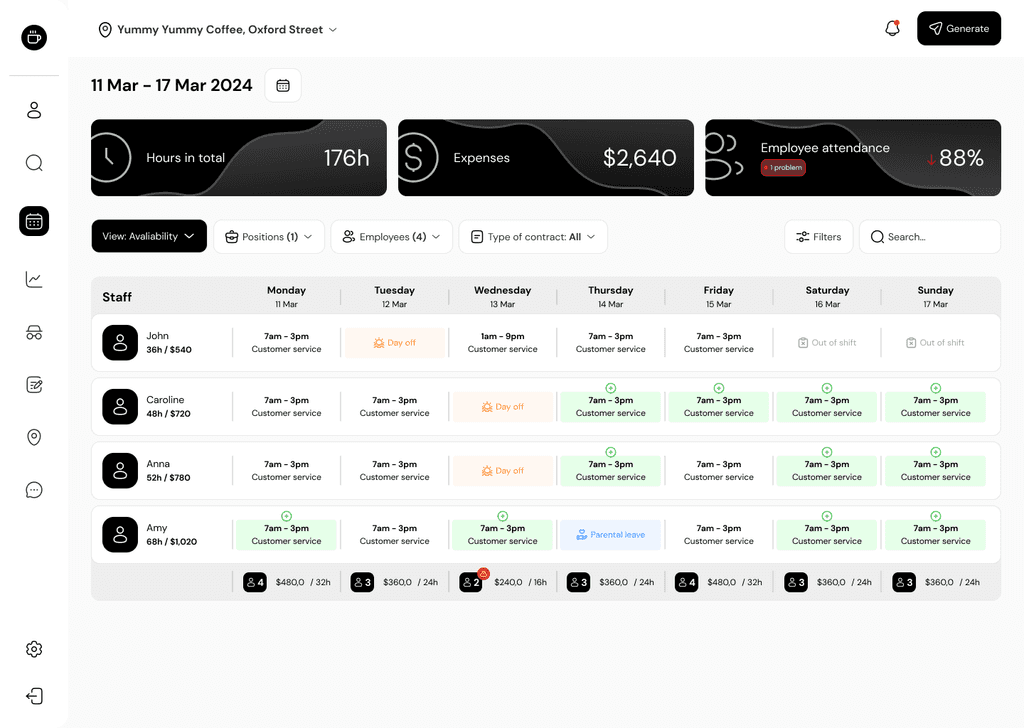
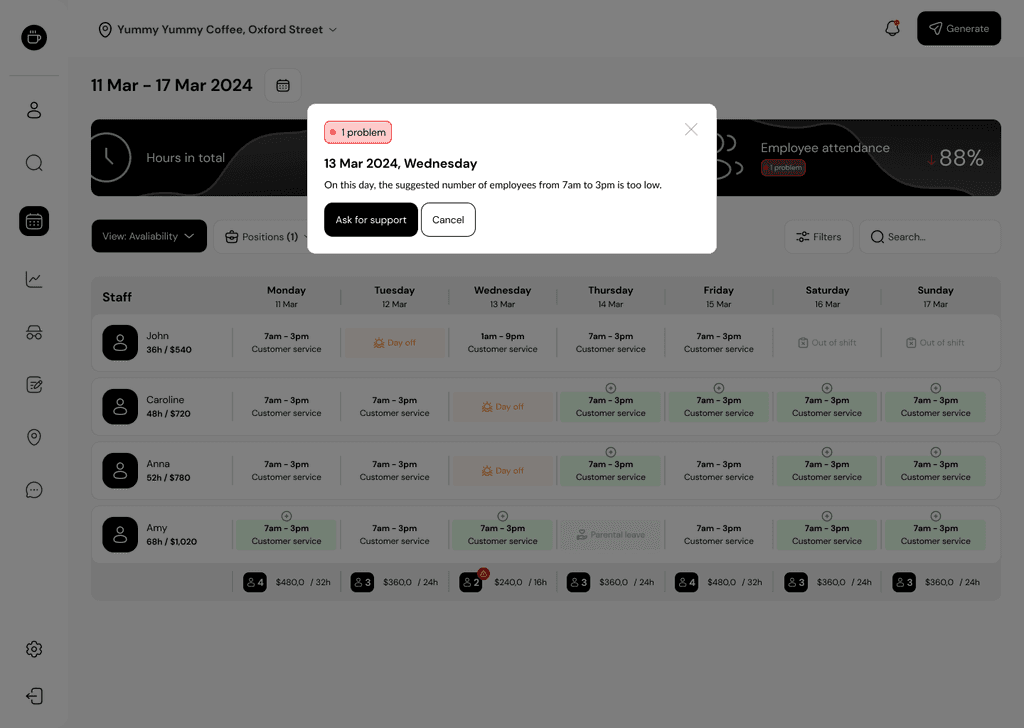
The window displays information with the problem and the missing number of employees.
The action can be canceled or moved to the next step via CTA.
05
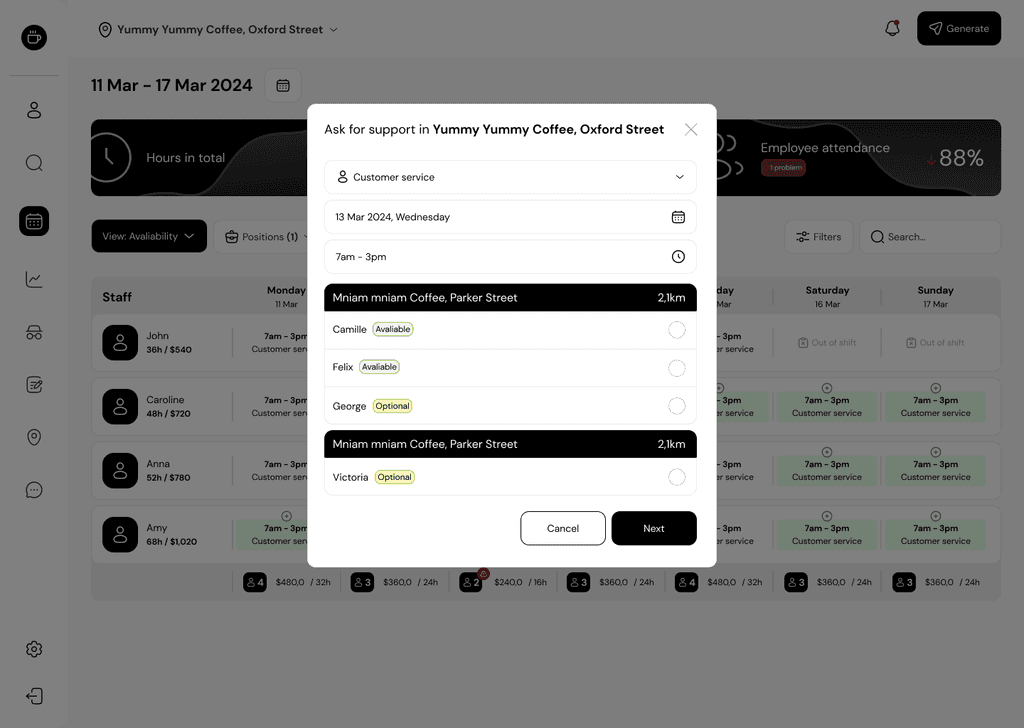
The module for moving employees between cafes, is used to send requests to other managers
for staff support for the day.
06
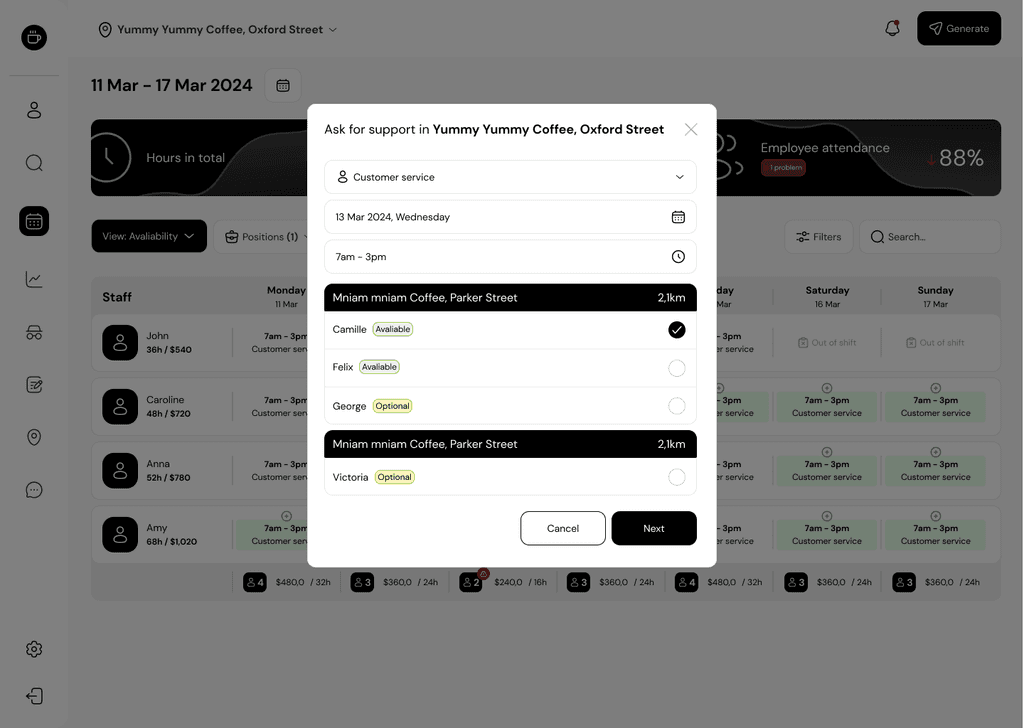
After selecting the position, date, time and employee, confirm the selection and proceed to the next step.
07
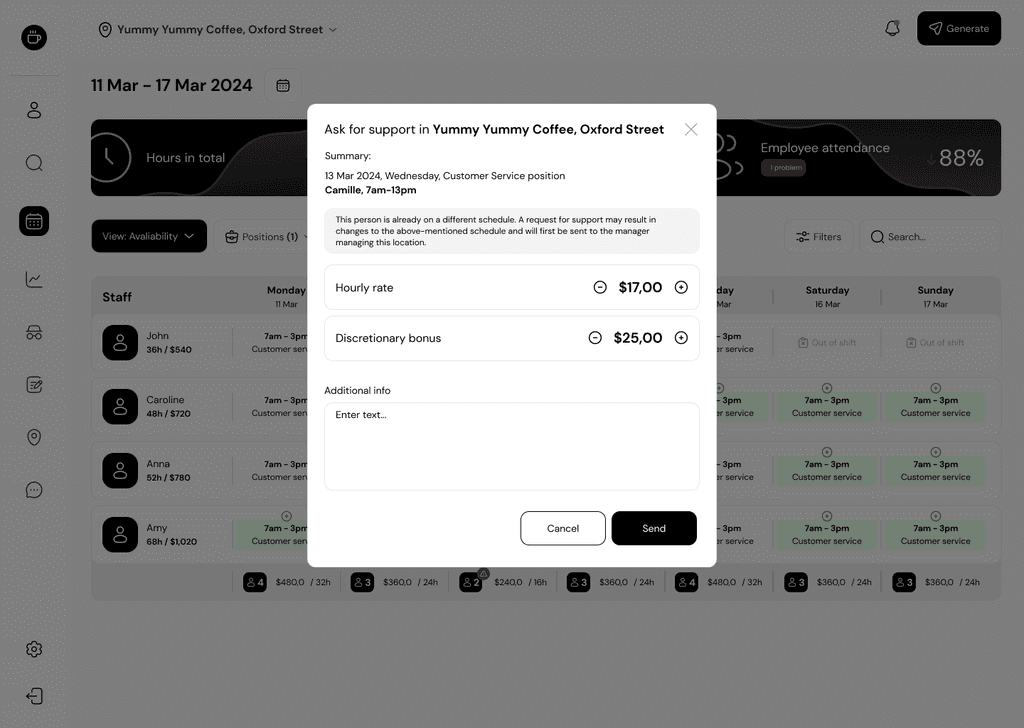
In the next window, set the hourly rate plus any discretionary bonus.
08
After sending a request for HR support, we wait for a notification with acceptance or rejection directly from the employee.
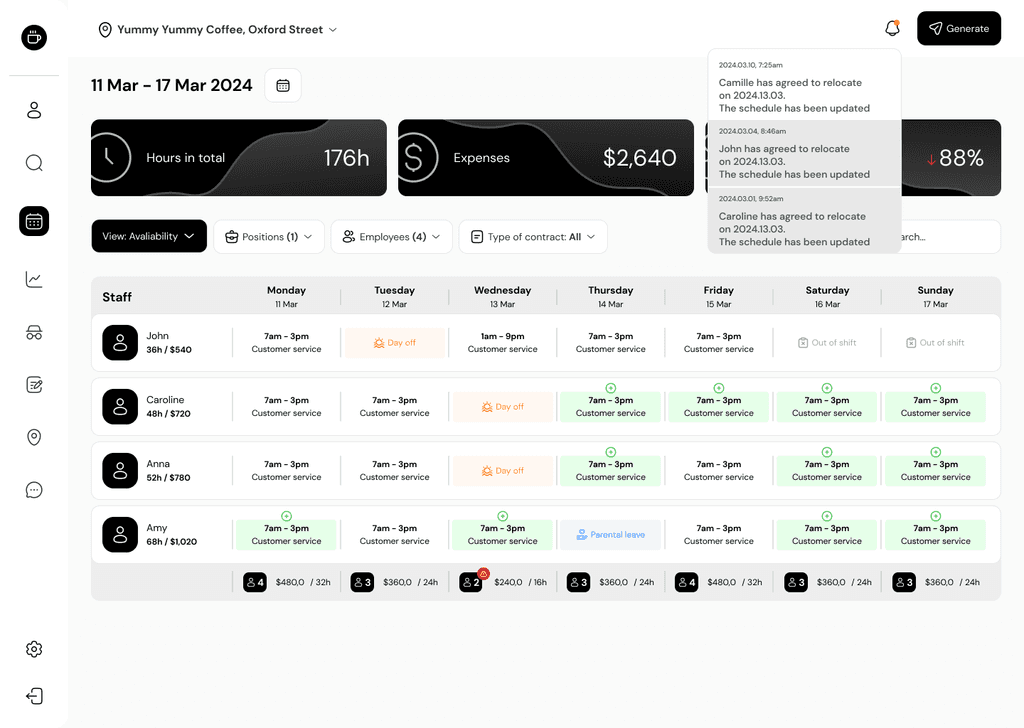
09
Once the request is approved, the displaced employee is applied to the overwritten work schedule.
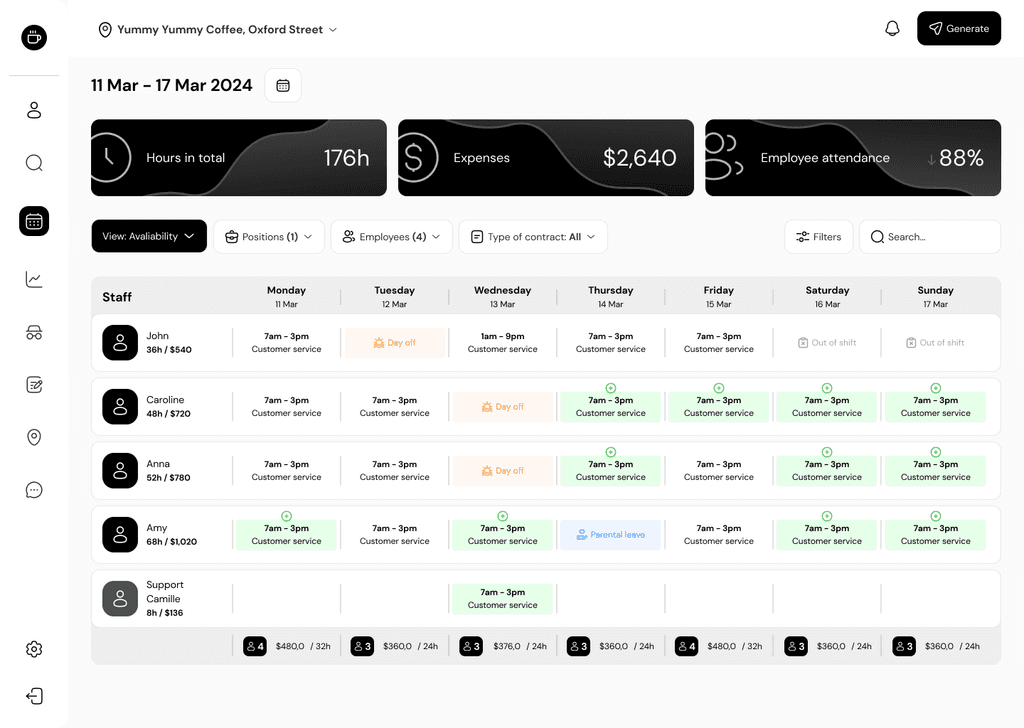
Summary
The above process speeds up communication between cafes and the disposition of people. It reduces the time it takes to make phone calls, send emails and text messages.
Internal administrative systems are designed to make the work of managers as well as employees easier.